An apex locator can seem dependable until its display flickers, its reading drifts, or the signal disappears beside a damp treatment tray. In 2026, effective apex locator repair still begins with careful checks, not guesswork. Inspect the cable, file clip, lip hook, battery contacts, and screen for wear or corrosion. Then compare the device’s behavior with its manual and a suitable test setup. Small faults can resemble serious failures.
This guide explains how to identify common problems, separate user-serviceable checks from internal faults, and decide when professional service is needed. It also covers safe cleaning, calibration considerations, and the details to record before contacting a repair provider. A device that powers on is not necessarily giving dependable readings. That matters.
A credible article should attribute technical advice only to a verifiable specialist and quote their words accurately. No source material or verified expert quotation was supplied for this request, so I will not invent a person or statement. That restraint is important. Apex locator repair affects clinical decisions, and unsupported claims can mislead. The practical goal is straightforward: restore reliable operation, confirm performance using the manufacturer’s instructions, and remove any questionable unit from use until its readings are checked.
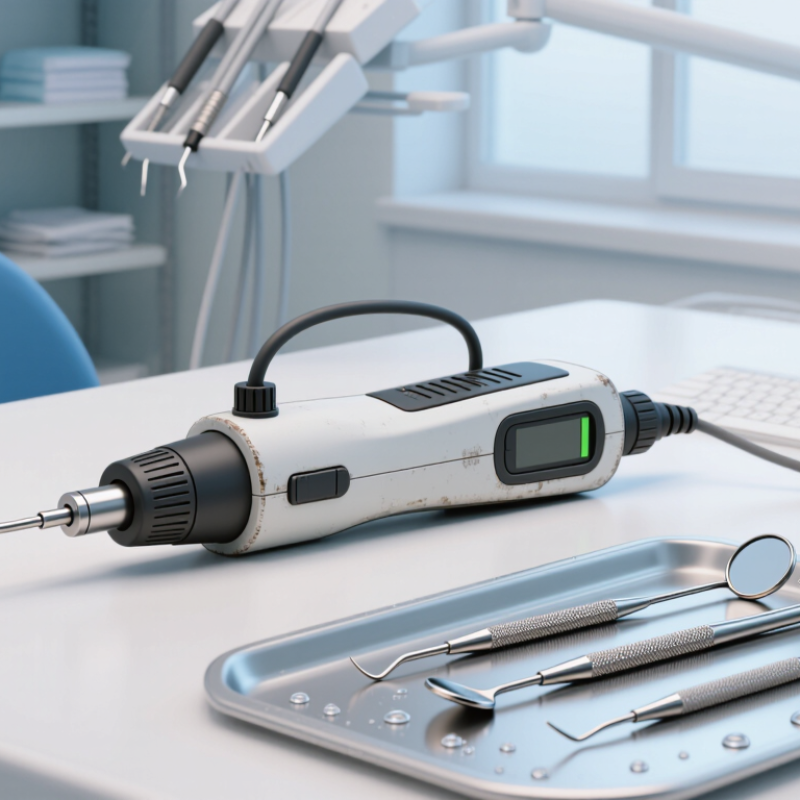
A wandering display often points to poor electrical contact, not a failed unit. Check the battery, file clip, lip hook, and cable for corrosion, looseness, or cracked insulation. A blank screen may mean a depleted battery or damaged lead. Readings that jump when the cable moves suggest a broken conductor. Blood, saliva, or contact with a metal restoration can also disrupt the circuit. Clean and dry the contact points, then retest with a stable setup. Don’t assume the first steady reading is correct.
Gordon and Chandler’s review in the International Endodontic Journal (2004) describes electronic apex locator accuracy as variable, with many studies reporting results around 80–90% within 0.5 mm under suitable conditions. That range is a reminder: readings depend on canal conditions and technique. If the display remains erratic after checking connections and battery, stop using the device and arrange qualified servicing. Avoid opening sealed electronics; a repair attempt can cause further damage.
Tips: Test the unit using its recommended check procedure before treatment. Keep clips clean and cables untangled. If readings change when you touch a lead, replace or professionally inspect that lead. Note the symptom, setup, and any error message. A small detail can matter.
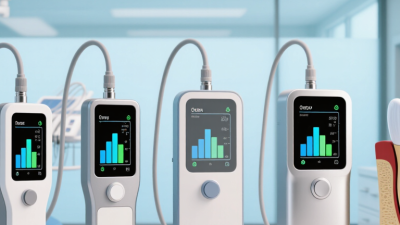
Before repairing an apex locator, identify its exact model and read the current manufacturer instructions. Similar-looking devices can have different battery, cleaning, and service requirements. Keep the manual beside the unit, not on a separate screen across the room. A small detail can matter.
Switch the locator off and disconnect its charger before inspection. If the instructions allow battery removal, follow their steps; do not force a sealed compartment. Check the casing, display, lead wires, clips, and electrode for cracks, corrosion, or loose connections. Keep liquids away from openings. Clean only as directed, since some disinfectants can damage surfaces or seals. Stop there if you notice heat, swelling, a burning smell, or exposed wiring. Do not use the device on a patient while its condition is uncertain.
Review the manufacturer’s warnings before trying any adjustment or replacement. Confirm which parts are user-serviceable and which require an authorized service professional. Record the error message, when it appears, and what accessories were connected. That information can make a service assessment more accurate. It is tempting to tighten a loose part and see what happens. That may worsen the fault. When guidance is unclear, pause and contact qualified service support rather than opening the unit.
| Stage | Safe action | What to check | When to stop and seek service |
|---|---|---|---|
| 1. Take the device out of use | Do not use a locator that gives inconsistent readings, has visible damage, or fails its prescribed checks. Keep it away from patient care until assessed. | Record the observed fault, when it occurs, and any error message. Do not rely on an uncertain reading to determine working length. | Remove it from service if readings are unstable, the display is unreadable, or the device behaves unexpectedly. |
| 2. Prepare the work area | Disconnect the unit from its charger or power source before external inspection. Work in a clean, dry area and follow the device instructions for handling and infection prevention. | Confirm the device is not connected to a patient and that removable accessories are separated as directed in the instructions for use. | Do not inspect or clean a wet, contaminated, or damaged device beyond the cleaning steps permitted by its instructions. |
| 3. Review safety guidance | Locate the current instructions for use and service information for the exact model. Follow its warnings, approved cleaning method, accessory requirements, and service-contact procedure. | Check whether the issue is covered by user troubleshooting or requires a qualified service provider. Guidance can differ by model. | Do not rely on generic repair steps when the model-specific instructions are unavailable or unclear. |
| 4. Inspect external parts | Check the housing, display, connectors, cable, clip, and probe for visible cracks, corrosion, loose connections, or fraying. Clean only as permitted by the instructions. | Look for secure connections and intact insulation. Use only compatible accessories specified for the device. | Do not use damaged leads or accessories. Do not immerse the unit or apply unapproved liquids or cleaning methods. |
| 5. Check power and user-replaceable items | If the instructions permit user replacement, check the battery type, orientation, and replacement procedure. Use only the specified battery or charging method. | After replacement or charging, check whether the unit starts normally and whether any battery warning clears. | Do not open the enclosure, solder components, bypass protections, or replace internal parts unless authorized service instructions specifically allow it. |
| 6. Run the prescribed function check | Perform only the startup, self-test, or test procedure described for that model. Reconnect accessories as instructed and confirm the device responds as expected. | Compare the result with the device’s stated acceptance criteria; do not assume one universal test or calibration method applies to all apex locators. | If the test fails, repeats an error, or produces uncertain results, stop troubleshooting and contact qualified service personnel. |
| 7. Document and return to service | Record the fault, checks performed, parts or accessories changed, and service outcome. Return the unit to clinical use only after it passes the applicable checks. | Keep service records and follow local requirements for maintenance, infection prevention, and medical-device management. | If safe performance cannot be confirmed, label the unit as out of service and arrange qualified evaluation. |
Safety note: This table is general guidance, not a repair manual. The current model-specific instructions for use and qualified service guidance take precedence.
When an apex locator gives a blank screen, unstable readings, or shuts off unexpectedly, start with its power supply. Check the battery level and confirm that the charger or adapter matches the device’s specifications. Look for a loose plug, bent contact, cracked casing, or unusual warmth. Keep the unit disconnected while inspecting it. If the battery is replaceable, use only the type specified in the instructions. A weak battery can cause erratic readings, even when the display still lights up.
Next, examine the measuring cable from end to end. Check for cuts, pinched sections, worn insulation, and connectors that wobble in their sockets. Gently reseat each connection; never pull on the wire itself. Clean accessible contacts with a dry, lint-free cloth, and let them dry fully before testing. A cable may look fine and still fail intermittently. That can be frustrating. If readings change when the cable moves, stop using it and arrange a suitable replacement rather than continuing clinical use.
Inspect the lip clip, file holder, and other supplied accessories for corrosion, residue, or loose joints. Clean and disinfect reusable parts according to the device instructions, then check that each accessory attaches securely. Run the recommended function check using the specified test method. Compare the result with the expected indication, not a guess. If power, cable, and accessory checks do not resolve the problem, take the unit out of service and contact qualified equipment support. It is tempting to blame the main unit, but the small connection is often the overlooked part.
When an apex locator behaves inconsistently, begin with simple checks. Confirm the battery has charge, inspect the lead for cracks, and make sure the file clip and lip clip are clean and firmly connected. Test the unit according to its instructions, away from fluids or nearby electrical equipment. If readings jump or remain fixed, stop relying on the device for clinical decisions. A quick reset may help, but it cannot resolve every fault. Do not open the casing or attempt internal repairs; small components can be damaged, and the device may need professional testing.
Tips: Note the error message, when it appears, and whether it changes with a different approved lead. Keep the device dry. Record its model and serial number before contacting service.
For persistent faults, arrange service through the manufacturer or an authorized service provider. Describe the checks you have completed and include the device’s service history, if available. Ask whether inspection, repair, and post-repair performance testing are included. A reliable technician can assess internal connections, display or sensor faults, and calibration concerns using suitable procedures. Avoid returning the locator to use until its performance has been confirmed. It is tempting to blame the battery alone; that assumption is not always right. After service, review the instructions and document the return-to-use check.
Verify Accuracy and Safety Before Returning the Unit to Use
After repair, confirm the locator gives stable readings before it returns to clinical use. Inspect the lead insulation, clips, connectors, battery contacts, and casing under bright light. Look for cracked insulation, bent pins, corrosion, or loose connections. Replace damaged parts only with compatible components, following the service instructions. Do not rely on a clean screen alone. A device can power on and still produce inconsistent measurements.
Test the unit with its designated simulator or test fixture, if available, and repeat readings across several checks. Record the results, including any drift or intermittent signal. A 2015 systematic review by Tsesis and colleagues examined electronic apex locator accuracy across clinical studies; working-length research commonly evaluates readings against a ±0.5 mm range. That range is a study criterion, not a promise of accuracy for every repaired unit. Verify performance using the device’s prescribed method, then arrange electrical safety testing where required by its design. IEC 60601-1 addresses basic safety and essential performance for medical electrical equipment. Do not return a unit with unexplained fluctuations.
Small inconsistencies matter.
I would document even a borderline result, rather than assume it will settle during use.
DENTSPLY Maillefer - USA
5100 E. Skelly Drive, Suite 300
Tulsa, Oklahoma 74135
DENTSPLY Maillefer - Canada
161 Vinyl Court
Woodbridge, ON L4L 4A3
Toll-free in the U.S.:
1-800-924-7393
Toll-free in Canada:
1-800-263-1437
Toll-free in the U.S.:
1-800-924-7389
Toll-free in Canada:
1-888-336-8775