Choosing a c root i apex locator involves more than comparing screens or prices. Dentists need a dependable reading, clear feedback, and a device that fits their endodontic workflow. In a busy operatory, small details matter: a stable display, simple controls, and a clip that stays secure during use. Small differences matter.
This guide introduces seven apex locators to consider in 2026. It focuses on practical features, such as measurement modes, display visibility, handling, and available support. Product specifications can change, so dentists should confirm current details with manufacturers and distributors before purchasing. A feature list alone cannot show how a device performs in every canal. No instrument is perfect.
Apex locator readings should be interpreted alongside clinical findings and appropriate imaging, not treated as a substitute for professional judgment. Canal conditions, technique, and device setup can all affect measurements. This comparison is intended to help clinicians ask better questions, not promise identical results for every patient. Some differences may seem minor on paper. In practice, they can shape how smoothly a procedure runs. Review the trade-offs, consider your team’s needs, and follow the manufacturer’s instructions for use.
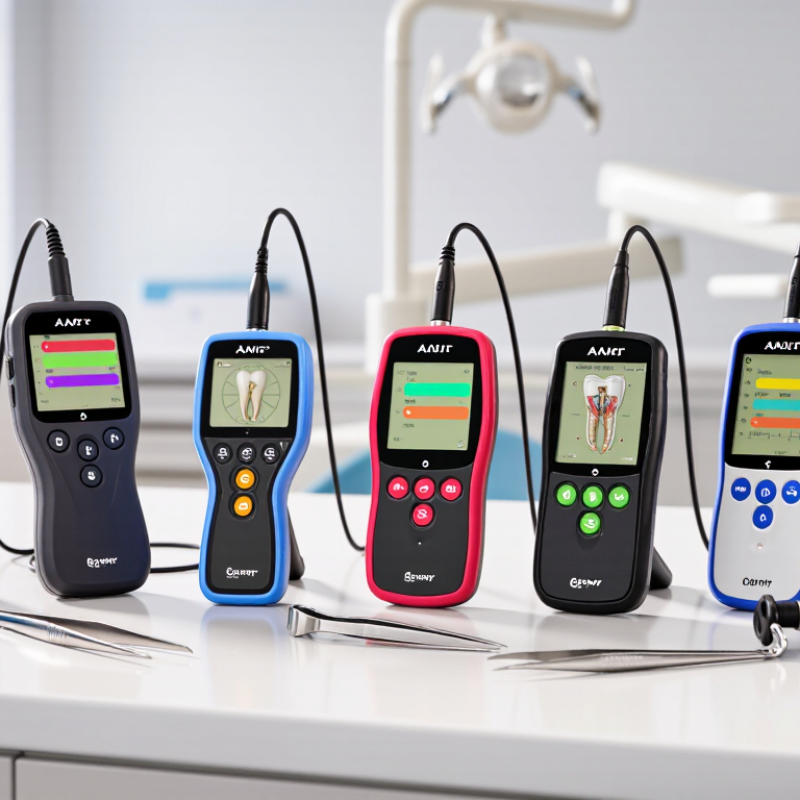
A C-shaped root canal often has a curved, fin-like space rather than one neat, round passage. Its narrow connections can make working length harder to judge. An apex locator helps estimate where a file sits in relation to the apical opening. It does not show the canal’s shape.
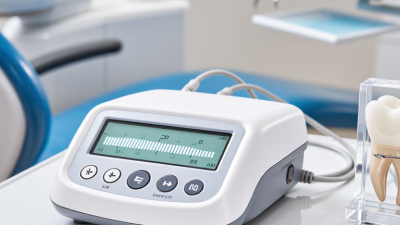
The device sends a small electrical signal through a file and measures changes in electrical impedance. As the file approaches the periodontal tissues near the root tip, the reading changes. Many modern units compare more than one frequency to help provide a stable estimate.
Small details matter. Moisture, debris, a loose file clip, or contact with metal can affect readings, so dentists follow the device instructions and check that the signal is consistent.
In C-shaped anatomy, a single reading may not represent every canal branch. A dentist may take measurements at different points, assess the file’s feel, and compare findings with a diagnostic radiograph. The locator is useful, but it is not a map. Readings can fluctuate, especially in complex anatomy, and clinical judgment still matters. Even experienced clinicians may need to pause and reassess when measurements disagree.
For dentists comparing seven C-root I apex locators in 2026, accuracy means more than a precise-looking screen. Check whether measurements remain repeatable in wet canals and with different file sizes. Canal anatomy, resorption, and conductive fluids can affect readings. Small shifts matter. Review independent clinical evidence and the device’s instructions, rather than relying on a single advertised accuracy figure.
Clinical features matter during a busy appointment. A clear display, audible signals, secure file connection, and simple controls can make readings easier to monitor. Consider whether the unit provides stable measurements as the file approaches the apical area. No locator removes clinical judgment. Use a consistent working-length protocol, and consider radiographic confirmation when anatomy or readings are unclear. Results can still be imperfect.
Tips: Test repeatability in a training block before clinical use. Keep the file clip and contacts clean, and check the battery routinely. If readings jump, pause and inspect the canal conditions, connection, and file position before proceeding.
Seven C Root I Apex Locators Compared for 2026
A useful comparison looks beyond screen size. Dentists should assess reading stability, file compatibility, display clarity, battery life, and performance in moist canals. A 2014 systematic review by Martins and colleagues reported clinical accuracy ranging from 83.0% to 97.4% within 0.5 mm, though study methods and conditions varied. That spread matters. No device should be judged by a headline accuracy figure alone.
Compare seven practical features across the units: measurement consistency, calibration needs, audible alerts, screen visibility, portability, cleaning access, and service support. In a busy operatory, a clear reading beside the chair may matter more than extra display modes. Check how each locator responds when a canal is wet, then confirm working length with appropriate radiographic assessment. A small shift can change the file stop.
One caveat: published accuracy does not guarantee the same result in every tooth. Canal anatomy, debris, and operator technique can affect readings. Record these limits when evaluating the seven options, and test the interface with gloves before purchase. It is easy to overlook that.
| Locator Profile | Measurement Approach | Display and Feedback | Notable Capability | Best Fit | Important Check Before Purchase |
|---|---|---|---|---|---|
| 1. Essential Dual-Frequency | Impedance-based electronic measurement using more than one frequency. | Basic visual progression toward the apical region; some units also provide audible signals. | Focuses on working-length guidance without an integrated motor or advanced workflow features. | Practices seeking a straightforward, dedicated apex locator. | Review the instructions for use, supported file types, calibration requirements, and cleaning procedures. |
| 2. Multi-Frequency, Enhanced Display | Uses multiple electrical measurements to estimate file position in the canal. | Larger or more detailed on-screen path indication than a basic display. | May make the file’s progress easier to monitor during treatment. | Clinicians who prefer prominent visual feedback at the chair. | Compare screen visibility, viewing angle, and the clarity of the apical warning indicators in the operatory. |
| 3. Audio-Guided Locator | Electronic canal measurement with position-related audio cues. | Combines a visual indicator with changing tones or alerts. | Provides feedback without requiring continuous attention to the screen. | Clinicians who want both visual and audible guidance. | Check whether tone volume and alert behavior can be adjusted to suit the treatment environment. |
| 4. Locator with Integrated Motor | Electronic length measurement paired with motorized file operation. | Typically shows position information while the motor is operating. | Can combine length guidance and selected motor functions in one workflow. | Practices looking to reduce equipment changes during shaping. | Confirm supported handpieces, file-system settings, motor modes, and the manufacturer’s operating limits. |
| 5. Compact Portable Locator | Electronic measurement in a smaller, portable unit. | Compact screen and controls; feature set varies by design. | Designed for limited counter space or flexible room setup. | Smaller treatment rooms or practices that move equipment between operatories. | Check stability on the counter, battery type and life, charging method, and replacement-part availability. |
| 6. Wireless-Display Configuration | Electronic measurement with position information transmitted to a separate display or compatible system. | Screen placement can be more flexible than with a fixed-display unit. | May allow the clinician to position the display within the preferred line of sight. | Clinicians who prioritize flexible screen placement. | Verify connection reliability, pairing procedure, compatible accessories, and what happens if the link is interrupted. |
| 7. Advanced Workflow Locator | Electronic measurement combined with additional display, alert, or workflow options. | May include configurable indicators or expanded on-screen information. | Offers more workflow options than a basic standalone device. | Practices that value configurable feedback and are prepared to train staff on additional functions. | Assess ease of setup, staff training needs, software or accessory requirements, and service support. |
Clinical note: These are equipment profiles, not manufacturer-specific product specifications. Electronic apex locators provide an estimate of file position; measurement performance can vary with clinical conditions and technique. Follow the device instructions for use and confirm working length using the complete clinical assessment.
Choosing a C Root I apex locator starts with the cases you treat most often. Look for a clear display, stable readings, and controls that are easy to use with gloves. A compact unit can help when tray space is limited. Check that its measuring file clips and lip clip are comfortable and securely attached. Small details matter.
Ask how the locator performs in different canal conditions, including moisture and the presence of irrigant. Readings can vary with anatomy, contact, and technique, so a device should not be judged by one demonstration alone. No reading is infallible. Follow the instructions for use, and compare uncertain measurements with other clinical findings. I would question a perfect-looking number if it conflicts with the canal’s anatomy.
Consider compatibility with your existing endodontic setup, cleaning requirements, warranty terms, and access to technical support. If possible, test the unit during routine work rather than relying only on a sales display. Notice whether the screen remains readable under operatory lighting and whether the reading changes predictably as the file advances. Training matters, too. A capable locator still depends on careful use and sound clinical judgment.
Before using a C Root I apex locator, review its instructions and inspect the display, leads, and file clip. Confirm the battery is adequate. Place the lip clip securely, then connect the file clip to a clean endodontic file. Use rubber dam isolation to limit contact with saliva and protect the working field. The canal may remain moist, but remove pooled irrigant from the access cavity; fluid bridging the file and surrounding tissues can distort readings. Small details matter.
Advance the file slowly, watching for a stable reading rather than relying on a single changing signal. Canal shape, resorption, or an open apex may affect measurements, so interpret the display alongside clinical findings and appropriate radiographs. If the reading seems inconsistent, pause, check the connections, dry the chamber, and repeat. I would not treat the device as infallible; that is an easy mistake under time pressure. After treatment, clean and disinfect the unit according to its instructions. Do not immerse it unless specifically permitted, and sterilize only accessories labeled for that process. Dry components fully before storage and keep cables loosely arranged to reduce wear.
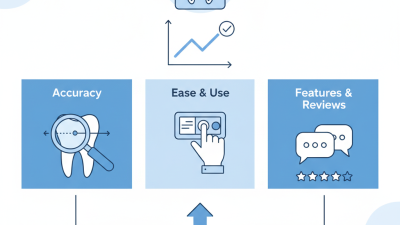
How to read this chart: The bars show workflow order, not time, accuracy, or a comparison of devices. An electronic apex locator helps estimate working length; it does not map C-shaped canal anatomy. Interpret findings alongside clinical examination and appropriate imaging, and follow the device’s instructions for use for measurement, cleaning, and disinfection.
DENTSPLY Maillefer - USA
5100 E. Skelly Drive, Suite 300
Tulsa, Oklahoma 74135
DENTSPLY Maillefer - Canada
161 Vinyl Court
Woodbridge, ON L4L 4A3
Toll-free in the U.S.:
1-800-924-7393
Toll-free in Canada:
1-800-263-1437
Toll-free in the U.S.:
1-800-924-7389
Toll-free in Canada:
1-888-336-8775