Choosing among the 7 Best Apical Locators for Accurate Root Canal Treatment starts with a practical question: how reliably can a device help estimate working length in real clinical conditions? An apical locator measures electrical characteristics to help identify the canal’s apical region. It offers useful information, but it does not replace radiographs, clinical judgment, or careful canal preparation.
The technology has deep roots. In a foundational study, Japanese dentist Dr. Sunada reported that “the electrical resistance between the oral mucous membrane and the periodontal membrane is a constant.” That observation helped shape electronic working-length measurement. Modern devices build on this principle, yet performance can vary with canal conditions, file contact, and device design. Small details matter.
This guide compares seven options through practical criteria: measurement consistency, display clarity, handling, compatibility, and value. A steady reading on a clean bench is reassuring; a changing signal in a moist canal deserves attention. No device is a magic wand. Even experienced clinicians may need to reassess a reading, and that uncertainty is worth acknowledging. The best apical locator is not simply the most feature-packed model. It is one that fits the clinician’s workflow and supports careful, evidence-informed decisions. These comparisons are intended as a starting point, not a substitute for training, current clinical guidance, or the device manufacturer’s instructions.
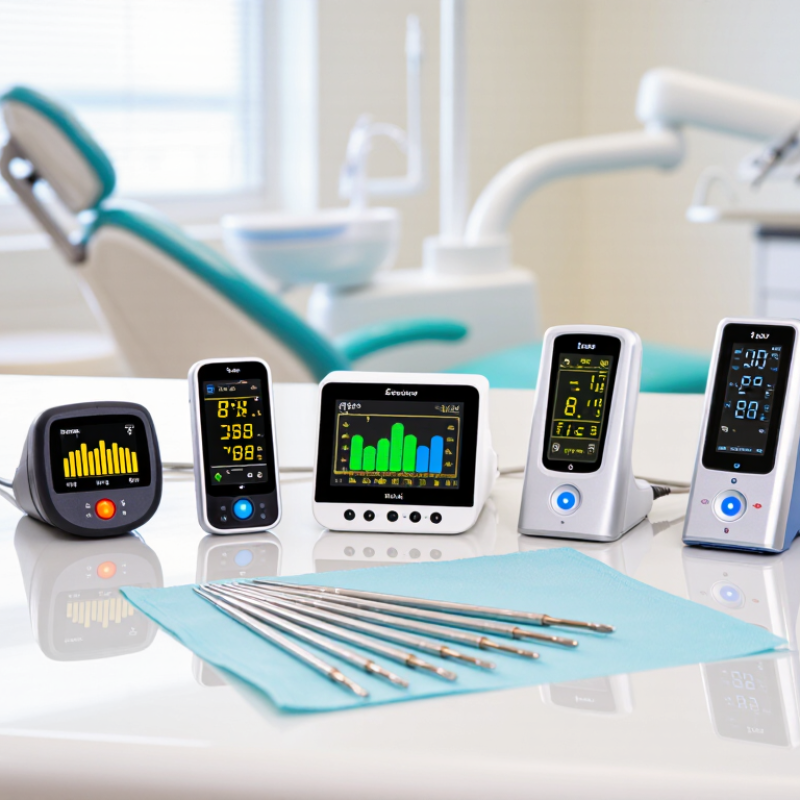
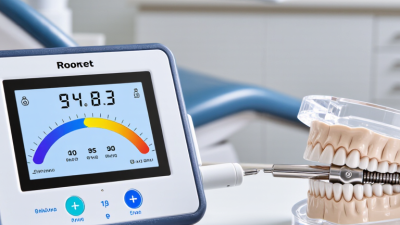
Electronic apical locators estimate working length by measuring electrical properties inside the canal. A file connected to the device forms part of a circuit, while a lip clip completes it. As the file approaches the apical opening, the electrical impedance changes. Many modern units compare signals at multiple frequencies, helping reduce interference from irrigants and moisture.
The reading is not a direct measurement of the canal’s full geometric length. It indicates the file’s position near the apical region, where the clinician interprets the display and sets a working length. Gordon and Chandler’s 2004 review in the International Endodontic Journal reported that electronic locators commonly identified the canal endpoint within 0.5 mm in about 90% of cases.
That matters. Canal anatomy varies, and a stable reading can still be affected by a loose file connection, debris, or an unusually wide foramen. A cautious clinician checks the reading, considers the tooth’s anatomy, and uses radiographic findings when appropriate.
Not quite foolproof. The device supports clinical judgment; it does not replace it.
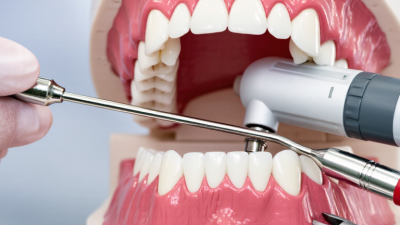
When comparing seven apical locators, look beyond advertised precision. These devices estimate file position using electrical measurements, and canal conditions can affect readings. A meaningful comparison should consider published accuracy data, testing methods, and performance in wet canals or near irrigants. Check whether results were assessed against a clear clinical reference, rather than relying only on manufacturer claims. No locator is infallible. Clinicians should interpret its reading alongside tactile feedback, imaging, and the patient’s anatomy.
Features matter when they support reliable decisions. A clear screen, distinct audio signals, quick setup, and stable readings can help during treatment. Consider whether the device works with common file sizes, offers a useful battery life, and is easy to clean between patients. Small details matter. A complicated menu may slow down an otherwise routine procedure. Still, usability scores are partly subjective; what feels intuitive at a desk may frustrate someone working through a narrow access opening. I would not rank a locator by its feature count alone. A simpler device may suit one clinic better, while another team may value adjustable alerts and a larger display. Testing the controls in realistic working conditions can reveal shortcomings that a specification sheet misses.
A brand-neutral comparison of seven common apical-locator design profiles. These are categories, not claims about specific products or a ranked list of models.
| Design Profile | How It Is Used | Accuracy Comparison | Typical Features | Usability Strength | Best Suited For | Key Consideration |
|---|---|---|---|---|---|---|
| 1. Standalone Multifrequency Locator | Measures electrical impedance between an endodontic file and an oral electrode using multiple frequencies. | Accuracy is model- and condition-specific; assess independent clinical results rather than assuming a technology label guarantees precision. | Dedicated display, file clip, lip clip, and visual or audio progress indicators. | Simple setup and operation without requiring an endodontic motor. | Clinics seeking a dedicated device for working-length measurement. | Canal contents, file fit, and the measurement protocol may affect readings; confirm clinically. |
| 2. Locator Integrated with an Endodontic Motor | Measures file position while the file is advanced using a compatible motor. | Integration does not itself establish superior accuracy. Compare the locator’s model-specific validation data with standalone units. | Shared motor and locator interface; some systems display file position during instrumentation. | Combines measurement and instrumentation in one workflow. | Practices that routinely use compatible powered endodontic systems. | Check compatibility, setup requirements, and whether the locator can also be used independently. |
| 3. Motor with Electronic Apex Control | Uses position feedback to trigger a preset response, such as stopping or slowing file rotation. | Control functions are not a substitute for validated measurement accuracy; evaluate both separately. | May include auto-stop or auto-reverse settings linked to file position. | Can reduce the need for manual stopping during rotary instrumentation. | Clinicians who want position feedback during motor-driven canal preparation. | Settings and motor behavior require training; monitor the display and maintain clinical judgment. |
| 4. Compact Portable Standalone Locator | Provides electronic working-length measurement in a smaller, portable unit. | Compact size does not predict accuracy. Look for independent testing of the specific device. | Small footprint, basic measurement connections, and a simplified interface may be included. | Easy to move between operatories and convenient where counter space is limited. | Mobile, small, or multi-operatory practices. | Check screen legibility, control size, battery requirements, and accessory availability. |
| 5. Large-Display Standalone Locator | Shows file progression on a larger visual interface while measuring electrical response. | Display size improves visibility, not measurement accuracy; verify performance using model-specific evidence. | Prominent visual scale or position indicators, often accompanied by audio signals. | Progress may be easier to see from the clinician’s working position. | Clinicians who prefer visual feedback or work in conditions where small displays are difficult to view. | Assess viewing angle, glare, and the clarity of the scale in the actual operatory. |
| 6. Cordless or Battery-Powered Locator | Operates from an internal rechargeable or replaceable power source rather than a fixed power connection. | Power format is not an accuracy measure. Compare independent accuracy data for the individual model. | Portable configuration; battery status and charging method vary by device. | Offers flexibility in placement and can reduce dependence on a nearby power outlet. | Practices prioritizing portability or flexible operatory layouts. | Confirm battery runtime, charging needs, and availability of a backup power plan. |
| 7. Workflow-Connected Locator | Pairs electronic measurement with compatible motor, display, or digital workflow functions. | Connectivity does not demonstrate better accuracy. Check whether published validation applies to the exact measurement setup. | Depending on the system, may share controls, display information, or support workflow documentation. | May streamline steps in a clinic already using compatible equipment. | Practices seeking an integrated endodontic workflow. | Review compatibility, setup complexity, and whether connected features are useful for the clinic’s needs. |
Comparison note: Electronic apex locators estimate file position from electrical measurements; no design profile alone establishes a universally more accurate device. Clinical studies often assess whether measurements fall within a stated tolerance, such as ±0.5 mm, but results vary with the device, study method, canal conditions, and reference standard. Use the manufacturer’s instructions and interpret readings alongside clinical findings and radiographs when indicated.
Seven Apical Locators for Root Canal Treatment
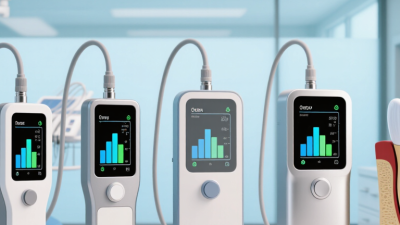
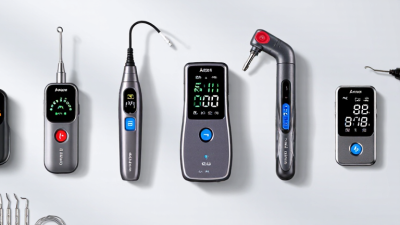
Apical locators help estimate the file’s position near the root canal endpoint. The seven options clinicians may compare include compact standalone units, models with color displays, audible-signal units, multifrequency devices, cordless designs, motor-integrated systems, and imaging-workflow combinations. These are practical design differences, not seven separate guarantees of accuracy. Most electronic locators assess changes in electrical properties as a file approaches the periodontal tissues. A steady reading can guide working-length decisions, but anatomy and canal conditions still matter.
A narrow canal, a large apical opening, or fluid on the chamber floor may affect readings. Dry excess fluid, keep the file from touching metal restorations, and check that the lip clip has a stable connection. Readings that jump around deserve a second look. Confirm the result against the clinical picture and an appropriate radiograph; no single measurement should replace professional judgment. Device instructions also matter, especially when using a locator with a motor.
Tips: Advance the file gently and watch for a consistent reading. If the display changes abruptly, pause, clean the chamber, and repeat the measurement. A small discrepancy is worth investigating, not ignoring.
Begin by reviewing the preoperative radiograph and checking the tooth’s anatomy. Isolate the tooth, create straight-line access, and establish a reproducible coronal reference point. Before measuring, inspect the locator’s cables and clip, then confirm the device works as instructed. Advance a small hand file gently into the canal while keeping the field dry and the canal appropriately moist. The 2023 European Society of Endodontology S3 guideline supports electronic apex locators for working-length determination, alongside radiographic assessment. Many clinical protocols place the working length about 0.5–1 mm short of the radiographic apex; anatomy can vary.
Watch the display as the file approaches the apical region. When the reading stabilizes, withdraw slightly and repeat the measurement to check consistency. Record the length from the same reference point, then verify it radiographically when indicated. A sudden jump or drifting reading may reflect a loose connection, fluid pooling in the chamber, or an altered canal path. Recheck rather than forcing the file. The number is useful, but it is not infallible.
Tips: Keep the reference point unchanged, and avoid letting the file touch metal restorations. If readings disagree, clean the chamber, inspect the connection, and measure again. Even a tidy display can mislead.
Measurement accuracy depends on more than the apical locator itself. A dry canal may produce an unstable reading, while excess irrigant in the pulp chamber can create an unwanted electrical path. Keep the chamber controlled and follow the device’s instructions for canal conditions. Small details matter.
Canal anatomy can also complicate interpretation. Curvature, resorption, an open apex, or a lateral communication may shift the reading or make it less predictable. A file that is too small may contact the canal walls poorly; one that binds can stop short. Check that the file clip and lip electrode have secure contact, and remove debris that interferes with file movement. If readings jump, pause and inspect the setup rather than choosing the most convenient number.
Restorations and moisture around the access cavity may affect the electrical circuit, especially if metal contacts the file or clip. Recheck the reading after adjusting contact and confirming the canal’s condition. Compare it with tactile findings and appropriate imaging; no single measurement should decide working length in every case. It is easy to trust a stable number too quickly. I would treat it as useful evidence, not certainty, and document any discrepancy for review.
Anatomical reference: the apical constriction is commonly located about 0.5–1.0 mm coronal to the major apical foramen.
Electronic readings can vary with canal anatomy, irrigant and moisture, debris, file fit, and open or resorbed apices. This anatomical range is a reference, not a comparison of locator performance; confirm working length using clinical judgment and appropriate checks.
DENTSPLY Maillefer - USA
5100 E. Skelly Drive, Suite 300
Tulsa, Oklahoma 74135
DENTSPLY Maillefer - Canada
161 Vinyl Court
Woodbridge, ON L4L 4A3
Toll-free in the U.S.:
1-800-924-7393
Toll-free in Canada:
1-800-263-1437
Toll-free in the U.S.:
1-800-924-7389
Toll-free in Canada:
1-888-336-8775